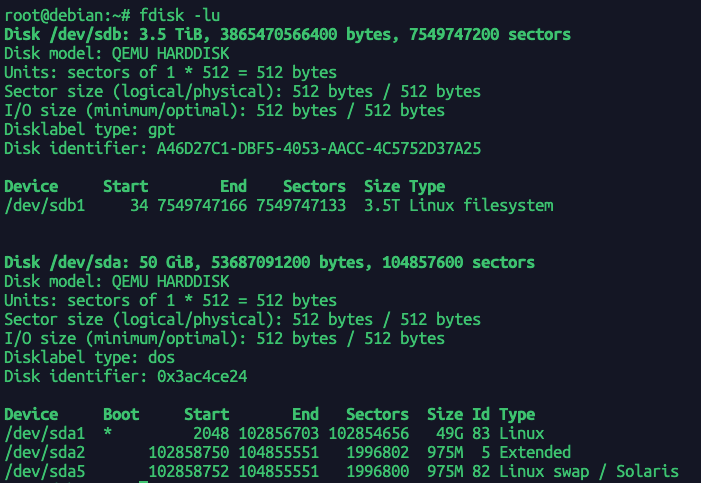
used to check whether the disk is available.
sample output:
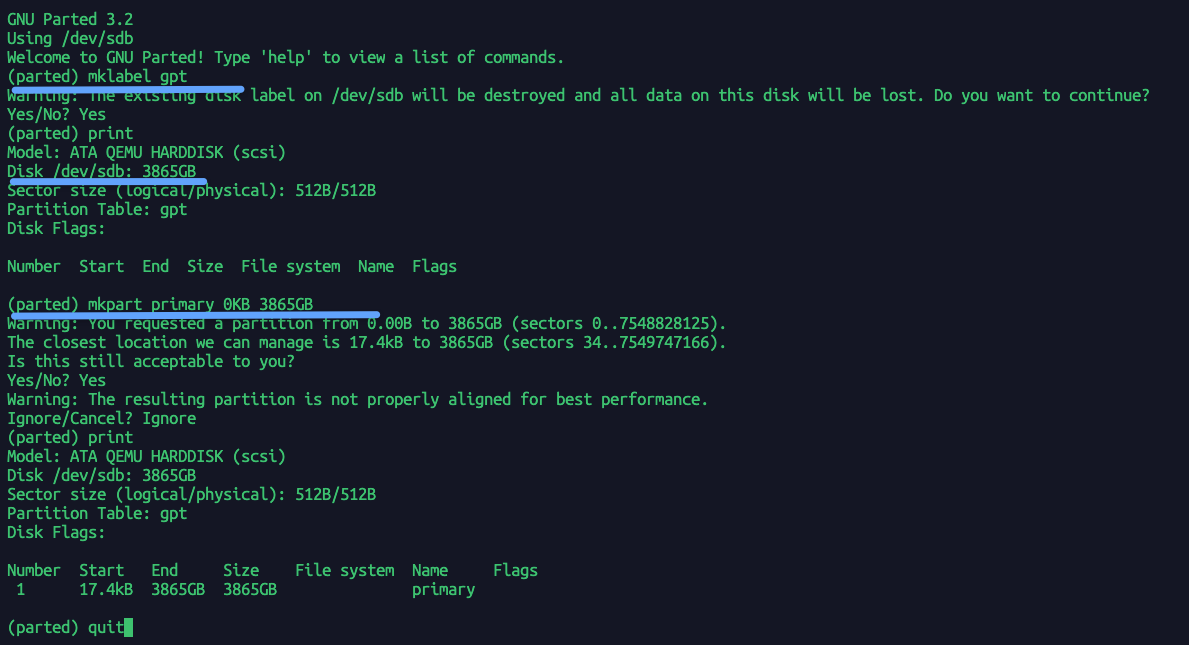
Create new partition
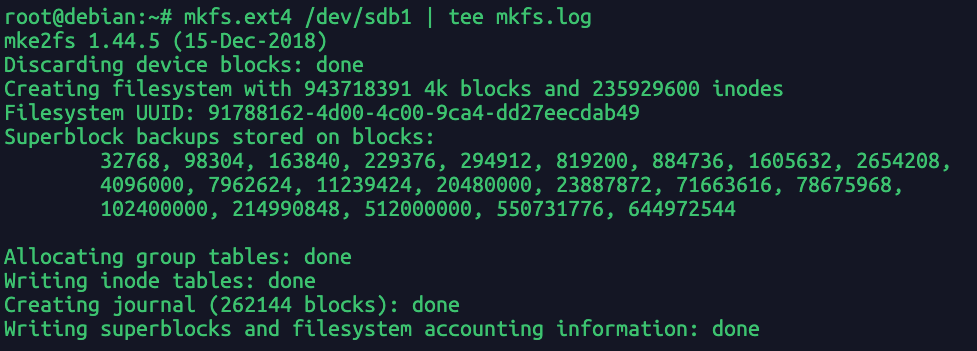
Mount
For example, to create mount point under /mnt:
| mkdir /mnt/NewHdd
mount /dev/sdb1 /mnt/NewHdd
|
Find out the UUID of your hard drives.
edit /etc/fstab file.
|
UUID=0a3407de-014b-458b-b5c1-848e92a327a3 / ext noatime 0 1
UUID=f9fe0b69-a280-415d-a03a-a32752370dee none swap defaults 0 0
UUID=b411dc99-f0a0-4c87-9e05-184977be8539 /home ext4 noatime 0 2
|
-
<device> UUID={Your UUID}
-
<dir> the mount directory
-
<type> the file system type
-
<option> mount option
-
<dump> is checked by the dump utility. This field is usually set to 0, which disables the check
-
<fsck> the order of file system check at boot time. For the root device it should be 1. For other partitions it should be 2, or 0 to disable checking.